Every day, millions of Internet users rely on search engines, social media channels, messaging apps, and third-party portals to find real-time information and daily numerical updates. Whether they are looking for news updates, financial data, or historical records, finding the right information online can sometimes be frustrating.
With thousands of independent websites competing for online traffic, not every page users come across is maintained by a high-quality publisher, transparent portal, or reliable source. Many users encounter copied content, misleading ads, and unverified data on fake Matka result websites and unofficial portals. A good-looking website does not always guarantee that the site owner is an authentic source either.
Online Information Landscape
| Official / Transparent Source | Unofficial / Unverified Source |
|---|---|
| Ownership Information: Clear ownership information | Anonymous or missing contact details |
| Publication Dates: Consistent publication dates | Inconsistent or unclear dates |
| Disclaimers: Transparent disclaimers | Missing or unclear disclaimers |
| Website Behavior: Stable and predictable website experience | Aggressive pop-ups and redirects |
| Claims: Clear and reasonable claims | Unrealistic claims such as "100% accurate" |
| Domain: Stable domain name | Misspelled or lookalike domains |
In this digital awareness guide, learn how to assess online result-information pages, identify potential red flags, and use digital verification to protect your privacy while browsing online.
What Is an Unofficial Matka Result Website?
In the context of information publishing, the word "unofficial" refers to any website or platform that operates independently outside of a primary governing body, corporate entity, or publisher.
Getting familiar with how different online sources publish content can help you understand what "unofficial" websites mean:
Officially Published Information: Data directly published by the primary organization, enterprise, or legal authority responsible for generating that information.
Independently Maintained Information: Websites operated by independent third-party publishers that curate, archive, or discuss public data for information purposes.
Aggregated Information: Portals that automatically aggregate and display snippets from various online sources in a single dashboard.
User-Generated Information: Content uploaded or shared by individual users across discussion groups, forums, and social media platforms.
Copied or Republished Content: Pages that reproduce numbers, text, or tables from other websites without conducting independent verification.
Note: The word "unofficial" doesn't necessarily mean that all information on a website is fake, but many independent informational portals publish misleading or inaccurate data. It's important to remember that independent publishers maintain their own information and aren't bound by official publishing standards. This is why users should always be careful when reading such sites.
Why Is It Important to Verify Online Result Information?
Having to rely on unverified sources online can create a frustrating experience and expose users to digital security threats. Knowing how to evaluate web pages can protect you from digital pitfalls.
| Online Safety Risks | Data Errors | Malicious Redirects | Privacy Concerns |
|---|---|---|---|
| Risk 1 | Typographical mistakes | Aggressive pop-ups | Suspicious tracking |
| Risk 2 | Outdated timestamps | Phishing attempts | Unsolicited alerts |
| Risk 3 | Copied or stale records | Drive-by browser downloads | Unclear data storage |
Here is why online verification matters when browsing for result information:
Incorrect or outdated data: Unofficial sites can have poor update schedules and frequent typographical errors, which may cause users to see inaccurate or outdated data.
Copied and stale content: Many unofficial sites run scraper scripts that copy content from other portals without checking whether the source data is up-to-date.
Misleading advertisements: Inaccurate websites may display misleading banners that trick users into downloading unknown applications or visiting unrelated third-party sites.
Phishing and security risks: Fake site operators can take advantage of lookalike domains to collect personal data from users, prompt suspicious downloads, and trigger harmful browser notifications.
Unclear website ownership: When a website hides its publisher information, there is no clear way for users to report broken links and inaccuracies.
Also read: How Online Matka Result Archives Are Organized
Common Signs of an Unofficial or Unreliable Result Website
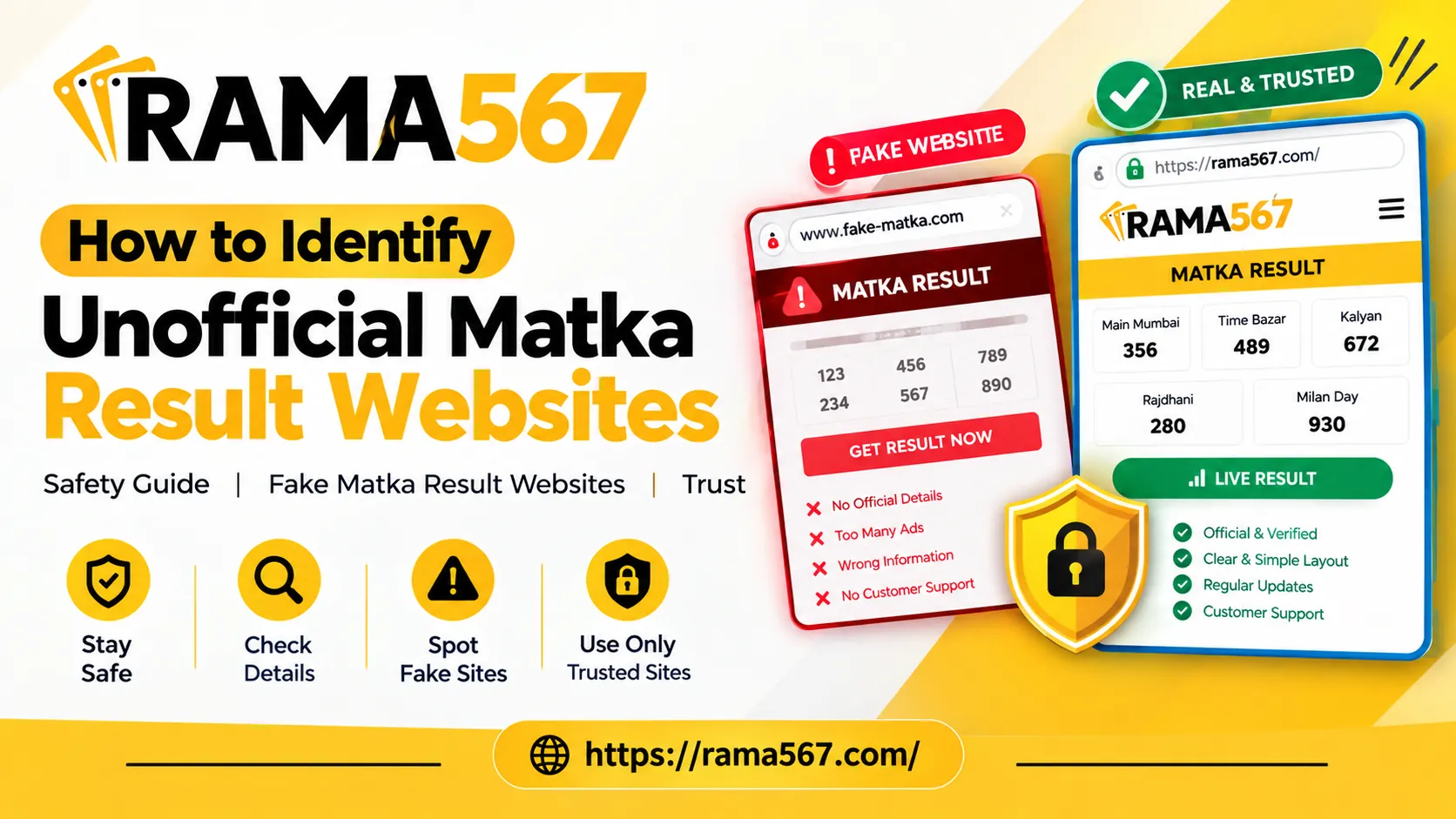
Being able to spot an unreliable page online becomes easier when you know which technical warning signs to look for.
No Clear Website Information
Legitimate publishers provide an About Us page that explains who owns, edits, and manages a website. When a site provides no background information, no author profiles, and no publisher disclosure, it becomes difficult to evaluate its credibility.
Missing Contact Information
A reliable informational portal includes a contact link or address so users can report broken links and inaccurate data. While the lack of a contact page does not immediately mean a site is unsafe, it does signal an untransparent web presence.
Excessive Pop-Ups and Redirects
Aggressive monetization can indicate a low-quality site. If clicking anywhere on a page opens pop-up windows, new browser tabs, or redirected URLs, it is best to avoid interacting with such websites.
Suspicious URLs and Domain Spelling
Malicious or low-quality websites often register domains that resemble popular platforms.
| Typical Domain Pattern | Example | What to Watch For |
|---|---|---|
| Standard Domain | https://example-domain.com/results | Normal domain structure |
| Misspelled Domain | https://examp1e-domaain.com/results | Lookalike or misspelled domain |
| Subdomain Trick | https://example.com.randomsite.net | Fake primary domain |
| Unusual TLD | https://example-domain.xyz.click/results | Unusual or potentially low-trust extension |
Always double-check the address bar:
Watch out for extra hyphens, numbers that substitute for letters (1 instead of i), and subtle spelling mistakes.
Watch out for suspicious subdomains that masquerade as full brand names.
Remember: An https:// padlock icon doesn't guarantee that the website content is trustworthy or accurate.
Copied or Repetitive Content
Low-quality websites use text-generating scripts to produce hundreds of copycat, repetitive articles. If the body text sounds robotic, contains grammatical errors, or repeats the same phrases endlessly, the site may only be optimized to collect search traffic.
Unclear Dates and Timestamps
Time-sensitive data needs clear dates, days of the week, and timezone indicators. If a page display figures without showing when they were published or updated, making them useless for verification
Unsupported & Exaggerated Claims
Watch out for websites that use sensational headlines or make claims that seem too good to be true.
| Warning Red Flag | Example Claim |
|---|---|
| Guaranteed Accuracy | "Guaranteed 100% Accurate Results Every Time" |
| Secret Predictions | "Secret Winning Formula & Exclusive Predictions" |
| Guaranteed Money | "Official Guaranteed Results – Instant Money" |
An independent informational website cannot honestly promise guaranteed money or secret predictions. Reliable websites tend to provide neutral content along with disclaimers that clarify the purpose of the information.
Also read: https://rama567.co/blogs/how-historical-charts-help-understand-matka-trends
Too Many Unrelated Advertisements
Ads are often a way for independent websites to cover their hosting and running costs. However, too many unrelated advertisements can make a website inconvenient and even unsafe to use.
If pop-ups, banners, and videos keep interrupting the information you're trying to read, it's a sign that you should avoid the site. A safe and useful website keeps advertisements from blocking the information a user is trying to read.
How To Check Whether Information Is Reliable
When you encounter a strange new website, you can use these 5 simple steps to check whether the information displayed appears reliable:
| Step | Verification | To Check |
|---|---|---|
| Step 1 | Check Website Domain Name | Watch out for spelling errors, unusual subdomains, or TLD |
| Step 2 | Verify Publication Timestamp | Check for the presence of clear dates and time |
| Step 3 | Compare Across Independent Sources | Ensure the figures match on 2-3 separate independent sites |
| Step 4 | Review About & Contact Pages | Look for transparency on the website's publishing organization |
| Step 5 | Evaluate Content Quality & Disclaimers | Check whether the website avoids using exaggerated claims |
Step 1: Check The Website Domain
Look at the full web address in your browser's address bar and make sure the domain is spelled correctly and doesn't lead you to an unexpected third-party website.
Step 2: Verify Publication Dates
Look at the top of the article or result table and make sure a clear date or timestamp is present and corresponds with the time period you are researching.
Step 3: Cross-Reference Independent Sources
Do not rely on a single unverified page. Make sure you cross-reference numbers with two or three independent sites. If you find the same numbers listed on multiple independent websites, you have more reason to believe the information will be useful to you.
Step 4: Inspect Editorial Transparency
Look at the website's footer and check whether it lists any Terms of Service, Privacy Policy, or Contact information. Transparency is a hallmark of a reliable publisher and helps visitors understand how the website operates.
Step 5: Look for Clear Disclaimers
Informational Websites tend to include disclaimers about the nature of their content. Take a look at these disclaimers and make sure you understand why the website is useful to you.
Website Safety Checklist For Mobile Readers
Browsing on a phone or tablet can often make small details difficult to notice. Try using this checklist when browsing on the go:
Check the Address Bar: Tap on the browser address bar and make sure the address and domain name look correct.
Avoid Clicking Pop-Ups: Close pop-up windows and banner ads, but avoid tapping on their contents or buttons.
Verify Timestamps: Make sure the website displays today's date or the relevant date for the information you are looking for.
Read Disclaimers: Look for disclaimers that state that the website provides informational content.
Look for SSL Security: Check that your browser displays a secure connection or padlock symbol.
Check Layout Integrity: Make sure that tables appear correctly on your screen and that you can read the text without it being cut off or distorted.
Exploring Informational Portals Safely: Rama567.co
When researching online portals or looking at how informational websites are structured, focusing on clean and transparent layouts can help you understand how websites present data, structure historical information, and facilitate navigation on both desktop and mobile devices.
A well-structured portal focuses on fast loading speeds, clear headings, readable tables, and accessible disclaimers. Looking at websites with transparent, maintained layouts helps you understand what a well-organized web page looks like.
Practical Digital Safety Tips For Everyday Browsing
Safe browsing depends on a few simple habits and basic security practices:
Keep Browsers Updated: Use the latest versions of browsers such as Chrome, Safari, Firefox, Edge, and others. Up-to-date browsers can protect you against phishing pages and malicious scripts.
Use Ad-Blocking or Security Extensions: Try using software or browser extensions that block pop-ups, tracking scripts, and redirects.
Never Download Unsolicited Files: A normal informational page should not ask you to download an APK, EXE, or profile installation file in order to view a result. If you see such a request, cancel it.
Avoid Sharing Personal Information: An informational result page does not need details such as your name, phone number, email address, or financial information.
Bookmark Verified Pages: If you find a website that is clear, transparent, and loads properly, bookmark the page so you can visit it directly anytime.
Comparative Features of Official Vs Unofficial Result Portals
| Feature | Official / Authoritative Source | Unofficial / Third-Party Source | Suspicious / Fake Site |
|---|---|---|---|
| Data Source | Publishing authority | Curated or aggregated information | Content copied or faked |
| Domain Name | Clear and registered brand | Standard domain name | Lookalike or misspelled URL |
| Contact Info | Full address or support | Basic contact form or email | No contact information or questionable details |
| Ad Density | Minimal or managed advertising | Moderate advertising | Intrusive pop-ups and redirects |
| Language Tone | Objective, neutral, factual | Informational and descriptive | Exaggerated claims such as “100% Sure” |
| Timestamps | Real-time or precise timestamps | Regular update schedule | Unclear or missing dates |
The Future Of Digital Information Transparency
As search engines continue to improve their algorithms, online platforms are placing more focus on websites that provide authoritative information and maintain a secure environment free from fake content. Search engine protocols are also evolving to filter websites that distribute plagiarized content, irrelevant or intrusive advertisements, and limited information about the publisher.
Leading browsers are now adopting stricter security standards, so users may receive warnings when attempting to access unofficial or counterfeit portals. As software and technology continue to advance, search engines are expected to place more emphasis on sites that provide reliable data and a good user experience.
Conclusion
Online safety involves several considerations, especially when using digital devices. Users should remain aware of security when browsing portals that provide result data. Simple steps, such as cross-verifying the domain name, publication timestamps, contact information, and overall content with other portals, can help users check the reliability of a website before continuing to browse it.
Users can also look for questionable signs on suspicious sites, such as excessive pop-up advertisements, inflated winning probabilities, and unclear information about the company's operation and location. These points can help users better understand the risks associated with fake matka result portals.
Frequently Asked Questions
1. What Are Fake Matka Result Websites?
Fraudulent or unofficial pages that provide misleading, copied, or fabricated result statistics are commonly referred to as fake matka result portals. Users should be cautious of sites that promote misleading data for monetary gains through deceptive methods.
2. How Can I Tell If A Result Site’s URL Is Suspicious?
There are a few key things to check when examining the URL or web address of a result site. First, look for spelling mistakes or unusual characters in the name. If the domain name looks different from the expected web address, it may be suspicious. Also, check for unusual extensions. However, it is important to note that .in or .com are not necessarily indicators of a fake site.
3. Is an HTTPS Website Safe and Authentic?
HTTPS is a cryptographic protocol that mainly creates an encrypted connection between the browser and the website. However, the protocol does not indicate whether the site or the data being transmitted is safe or genuine.
4. What Should I Do If a Website Has Continuous Pop-UP Redirects?
A user should immediately close the browser if multiple pop-up windows appear. It is also important to avoid clicking on or downloading unknown redirect links, especially when the website is uncertain or unfamiliar.
5. Why Do Unofficial Websites Make Exaggerated Winning Claims?
Exaggerated winning claims can be a sign that a website is unreliable, so users should be cautious when visiting such portals. In these situations, users should double-check the data and make sure it has not been fabricated, as some websites may provide such information mainly to attract visitors.