
Rama567 User Guide: Finding Results, Charts and Important Information
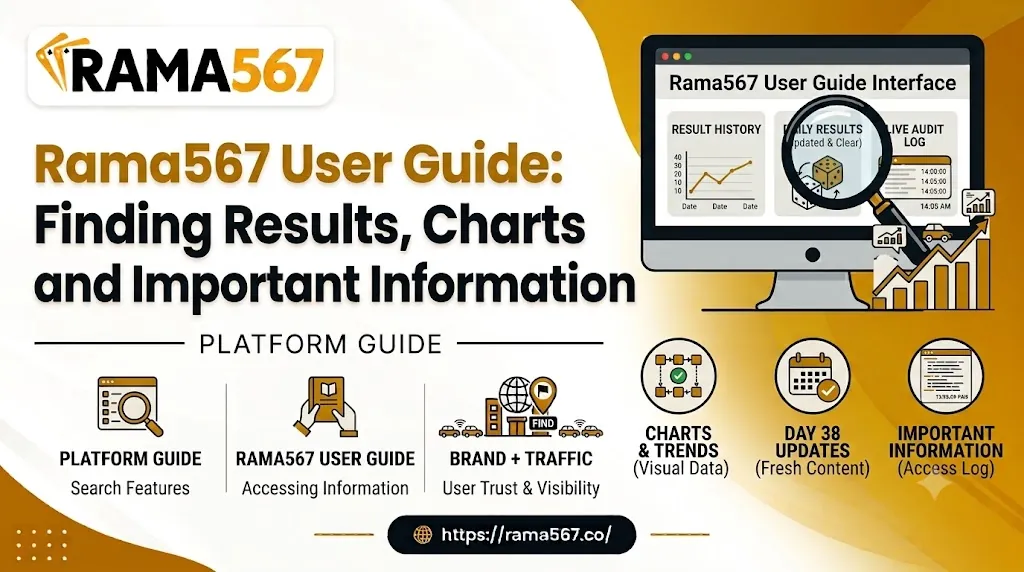
The ability to easily navigate a digital database or results portal is a crucial skill for online visitors. This includes checking for live results, reviewing published archives, and finding official website policies. A disorganized portal leaves site visitors guessing at menus and chasing redirects to irrelevant landing pages.
This Rama567 user guide will focus on explaining how to navigate the website, find the current results, read charts and historical archives, and learn how to access crucial website information like policies. The guide's objective is to offer a clear, uncomplicated view of the portal and its contents while preventing common misunderstandings between current and past results.
Getting Started With Rama567
The first thing to understand when visiting a new portal is the overall layout of the website. Most sites will organize the menu so that popular categories are easy to find, with less common options relegated to a smaller footer menu. Take a moment to review the sample interface below and familiarize yourself with the sections of the portal.
| Website Section | Main Elements |
|---|---|
| Header / Main Navigation | Home, Current Results, Charts & Archives, About |
| Primary Banner & Announcements | Important announcements and featured information |
| Live / Daily Result Tables | Daily result information and updates |
| Historical Chart Displays | Previous results and historical charts |
| Search & Category Filter | Search options and category-based filtering |
| Footer / Platform Details | Privacy Policy, Terms, Contact, Responsible Use |
Due to regular website updates, menus can change without notice. Always use the actual website as your reference point. Look for broad headers such as Home or Charts & Archives. This orientation will make subsequent steps in this user guide much simpler to follow.
Finding Current Results
The ability to find current results is often the primary reason for visiting the portal. As a result, some users may overlook important details in the pursuit of the latest findings. Consider the following best practices when reviewing current results:
- Locate the Active Results Section: Most portals will place active or recent results near the top third of the page.
- Verify the Date Immediately: Before proceeding, confirm the date found above or next to the results table.
- Confirm the Category Label: Active results are often organized by category, location, or draw. Ensure the category label at the top of the table aligns with your expectations.
- Look for Update Timestamps: The portal may include a timestamp to show how recently results were submitted.
- Differentiate Current and Historic Data: Remember that active results are current as of the timestamp. Always review historic results separately.
A few seconds spent reviewing these details can prevent frustration and mistakes with current results.
Understanding Charts and Historical Results
Charts and historical results allow users to review past findings and spot patterns or trends. Interpreting these can sometimes lead to assumptions or misunderstandings. Consider the following best practices when reviewing charts:
| Chart Feature | What It Represents | How to Read It Responsibly |
|---|---|---|
| Category Header | Specific draw or market | Ensure it aligns with your expectations |
| Date Columns | Chronological order of past results | Read in the listed order (top to bottom / left to right) |
| Numerical Grid | Historic results grid | Treat as a reference only - not a prediction tool |
| Archive Filters | Date selection / sorting options | Use filters to narrow the desired results range |
Historic results and charts are a form of public record. It is crucial to remember that past results have no bearing on future results, and should never be used as a basis for assumptions or predictions.
How to Find Important Website Information
A well-designed website will make its key administrative sections easy to find. These sections often appear in the website footer. The following sections are essential for learning how to navigate Rama567 responsibly:
- About Us: An overview of the website's general operation and purpose
- Privacy Policy: Information on how the website collects and stores visitor data
- Terms and Conditions: Policies on the website's terms of use and content guidelines
- Contact Us: Contact information for general inquiries and support
- Responsible-Use Information: Advice and guidelines for limiting losses and taking breaks
Reviewing these administrative sections will give a general overview of how the website operates responsibly and transparently.
Using Website Navigation Effectively
There are several best practices for navigating a complex results portal. These techniques will help you browse the website more responsively and safely:
Main Menu ──> Select Category ──> Filter by Date ──> Verify Timestamp
The following techniques will help you navigate Rama567's menus and organize your search more efficiently:
Use Header Menus
The primary header menu offers the fastest method of reaching a general category, rather than sifting through unrelated subcategories.
Breadcrumbs
Look for breadcrumb trails to navigate between subcategories (e.g., Home > Archives > 2026 > September).
Search Features
If the portal has a search feature, use it to navigate directly to specific sections and dates.
Avoid Confusing Redirects
Never click a mysterious pop-up ad that appears alongside a results page. These often lead to unrelated third-party websites.
These best practices will contribute to a safer, more responsible browsing session on Rama567's website.
How to Read Result Information Carefully
Reading numerical results carefully will help you avoid common misunderstandings and frustrations when first starting out. Consider the following best practices when reviewing result information:
- Check the Date First: Always verify that the results you're reviewing apply to the correct date.
- Read Column / Row Labels: Pay close attention to how the results are organized. Some results are organized horizontally, while others use vertical labels indicating time or category.
- Differentiate Current and Historic Results: Always treat active and historic results as separate entities
- Look for Edit / Revision Information: If a typographical error was made, the portal may include a note or revision timestamp indicating the correction
- Cross-Reference Information: If you aren't certain about the results, double-check by returning to the main category page.
Following these best practices will enable you to develop a responsible reading pattern when reviewing results.
Finding Information on Mobile Devices
Many users will browse the results portal on a smartphone or other mobile device. While some elements will be condensed for easier browsing, the necessary menus and sections remain easily accessible with the right approach:
When using a mobile device to browse Rama567, consider the following best practices:
- Hamburger Menu: On mobile, the primary menu will appear as a set of three horizontal lines ().
- Horizontal Scrolling: Some historic results charts use wide columns that extend across the full width of the screen. If present, lightly swipe left or right across the display to scroll the table horizontally.
- Expand Hidden Labels: Double-tap on heading labels to ensure that any hidden labels or menus appear correctly.
- Avoid Accidental Taps: On mobile, always ensure that you are tapping actual links or menu items, rather than accidentally triggering a pop-up or redirect.
Navigation on mobile devices will be intuitive and responsive so long as you follow these best practices.
Responsible Use of Result and Chart Information
Reviewing numeric results and predictions should always be a relaxing, uncomplicated activity. It is essential to approach this activity with a balanced mindset and set personal boundaries as needed. The following best practices will support responsible use of the portal:
- Avoid "Future Prediction" Assumptions: Charts and historical results only reflect what has happened. Assume that any claimed "future prediction" is misleading or takes advantage of common misconceptions about probability.
- Avoid Guaranteed Formula Claims: No legitimate results portal will offer "guaranteed" results or predictions. Be wary of third-party websites that claim to sell an exclusive method to analyze results.
- Set Personal Limits: Establish personal limits and guidelines for result reviewing, including time limits or session length. Avoid making potentially irresponsible decisions "in the heat of the moment."
- Leverage Age Restrictions: Always ensure that you comply with local laws and regulations regarding age restrictions or banned locations.
By following these best practices, you can develop the habits and mindset needed to explore the website responsibly and within acceptable limits.
Common Navigation Mistakes to Avoid
Even the most experienced visitors will occasionally make navigation mistakes on a crowded results portal. The following common errors will help you avoid misunderstandings between current and past results:
- Mistaken Date: Confusing the current date with an archived or historic results chart
- Confused Category: Reviewing results from multiple, dissimilar categories due to different labels
- Unreliable Third-Party Sources: Mistakenly relying on third-party websites that mirror, scrape, or republish portal content
- Misreading Policies: Skipping over important information by not reviewing policies and terms carefully enough
- Assumed Predictions: Confusing past or current results for a guaranteed future prediction
Avoiding these common mistakes will support safer, more reliable use of the portal.
Quick Rama567 Navigation Checklist
This checklist covers the most common tasks associated with navigating the Rama567 portal:
- Locate the main navigation bar or mobile menu
- Select your desired category or results portal
- Confirm the calendar date and update timestamp on the page
- Read table headers carefully before reviewing the numbers
- Differentiate between current live updates and archived chart displays
- Check the footer links for Privacy, Terms or Contact details
- Use official, verified pages rather than unlinked third-party mirrors
- Treat all historical data as purely informative and reference-only
Also read: Secure Online Matka Platform: Why Safety Matters
Conclusion
Navigating a portal such as Rama567 requires a basic understanding of how the website is structured and organized. This knowledge will help you find the information that you are looking for without confusion or frustration. Always treat charts and historical results as informational archives only, rather than a source of assumptions or potentially harmful predictions. By following the best practices in this guide, you will be able to get the most out of your time on the portal.
Frequently Asked Questions
1. What is the Rama567 User Guide?
The Rama567 User Guide is an informational navigation guide that explains how visitors can locate live results, historical charts, site policies, and administrative pages on the platform efficiently.
2. How can I find the result information on Rama567?
You can find results by accessing the main navigation menu, selecting the appropriate draw or category, and checking the display date and timestamp at the top of the result table.
3. How should I read Rama567 charts and historical results?
Charts should be read sequentially by date and category. They represent objective historical records of past events and should be viewed purely as informational archives rather than forecast tools.
4. Where can I find important information such as policies and contact details?
Administrative links--including the Privacy Policy, Terms and Conditions, About Us page, and Contact details--are typically located in the website's footer menu.
5. Can historical charts guarantee future results?
No. Historical charts show past records only. Previous outcomes have no bearing on future events, and past data cannot be used to predict or guarantee future outcomes.